
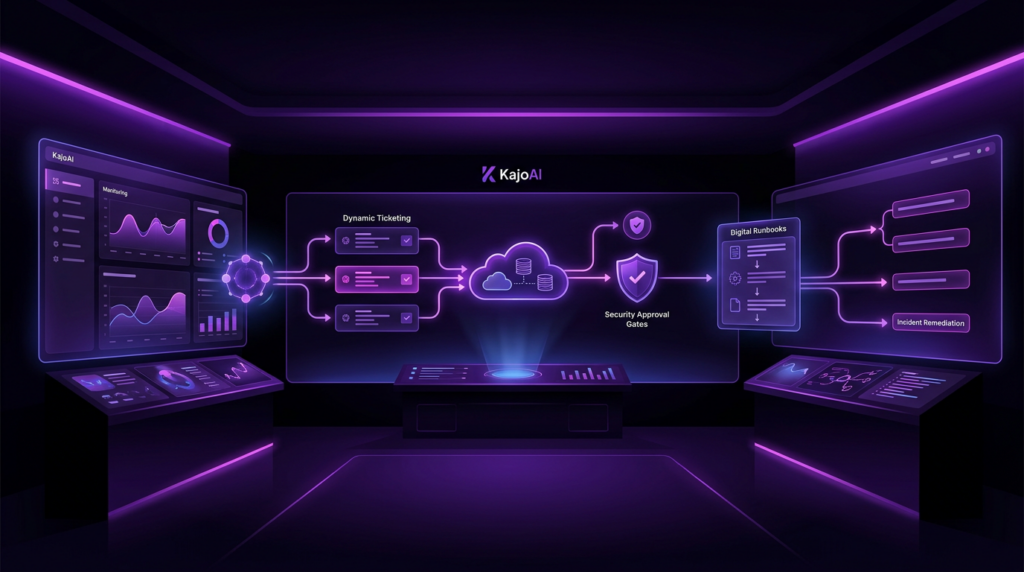
Automate IT: Enterprise Guide to Tools, Roadmap & ROI
If you are responsible for uptime, cost-efficiency, and removing manual toil, you are already under pressure to automate IT without risking stability. This guide gives you a practitioner’s playbook: what it means to automate IT, where to start, the tooling and architecture patterns that work at scale, and how to prove value with hard numbers.
Within, you will find a step-by-step roadmap, turnkey templates, a vendor evaluation checklist, and an embedded ROI calculator to size the opportunity. If you want a jumpstart tailored to your stack, Get in touch for a free process analysis.
What does ‘automate IT’ mean?
To automate IT is to design and run repeatable, policy-governed workflows that execute infrastructure, service, and support tasks with minimal human intervention, complete observability, and built-in safety controls.
- Repeatable workflows defined as code or playbooks.
- Minimal human intervention with clear escalation paths.
- Observability: logs, metrics, traces for each automation run.
- Safety: approvals, rate-limiting, idempotency, and rollback.
- Compliance-by-design: audit trails and least-privilege access.
Why automate IT? Business benefits and KPI improvements
High-performing teams use IT automation to reduce MTTR, increase deployment frequency, cut ticket volume, and unlock capacity for strategic work. Studies of elite performers show that automation correlates with faster recovery and more frequent, safer releases (DORA; Google SRE).
Typical outcomes we see when teams automate 5–10 high-impact workflows:
- MTTR reduced by 40–60% via auto-remediation and faster triage.
- Manual effort cut by 50–70% across patching, provisioning, and reporting.
- Tickets auto-resolved: 30–50% of service desk L1 requests.
- Change failure rate falls 20–40% thanks to consistent playbooks and canaries.
- Deployment frequency up 50–150% with standardized pipelines.
The chart below summarizes representative improvement ranges observed after a focused 90-day automation program. Use it as a benchmark; your mileage will vary by baseline maturity and tooling.
Simple ROI model. Start with the hours you can eliminate from manual toil and multiply by a fully-loaded cost per hour. Then subtract the cost of tools and engineering effort. A back-of-the-envelope formula:
ROI = (Annual Savings − Annual Costs) / Annual Costs
Sample calculation (500-employee company): Assume 0.6 IT tickets/employee/month, average handling time 18 minutes, and $60/hour fully-loaded. Baseline annual cost of tickets ≈ 500 × 0.6 × 12 × 0.3 hours × $60 = $64,800. If you automate 35% of L1 tickets and 50% of patching hours (say 1,000 hours/year), annual savings ≈ (0.35 × $64,800) + (1,000 × $60) = $22,680 + $60,000 = $82,680. If your annual automation program cost is $40,000, ROI ≈ ($82,680 − $40,000) / $40,000 ≈ 106.7% in year one.
Calculate Your ROI
As you build your own business case, remember to include risk-adjusted benefits: avoided incidents, fewer compliance exceptions, and faster audit cycles. For governance context, see NIST SP 800-53.
Top IT automation use cases (with concrete examples)
Below are high-impact automation workflow patterns you can deploy in weeks. For each, we outline objective, trigger, tools, a sample playbook, and primary KPIs.
1) User onboarding and offboarding
Objective: Provision access fast; remove access immediately at exit to reduce risk.
Trigger: HRIS event (new hire/termination) or ServiceNow/JSM ticket.
Tools: SCIM/IdP (Okta/Azure AD), Ansible, PowerShell, n8n/StackStorm, ServiceNow.
# Pseudocode (n8n + PowerShell)
On HRIS event 'hire':
  - Create user in IdP with role template
  - Provision mailbox, Teams, standard groups
  - Create home directory and apply ACLs
  - Open onboarding ticket with checklist
  - Notify manager with welcome kit
On 'termination':
  - Disable SSO, rotate secrets, archive mailbox
  - Remove group memberships; revoke VPN
  - Close assets; update CMDB
KPIs: Time-to-first-login, access completion SLA, orphaned account count.
2) Patch management
Objective: Keep fleet compliant with minimal downtime.
Trigger: Weekly maintenance window; new CVE above risk threshold.
Tools: WSUS/SCCM, Ansible, AWS SSM, Rundeck, Slack for approvals.
- Pull CVE feed; score assets by exposure
- Canary patch 5% of nodes; run smoke tests
- Progressive rollout with rate-limit and backoff
- Auto-create change record; attach logs
- Auto-rollback if health checks fail
KPIs: Patch compliance %, mean patch lead time, failure/rollback rate.
3) Server and environment provisioning
Objective: Standardized, idempotent infra creation for on-prem and cloud.
Trigger: Pipeline event; request ticket; Git tag.
Tools: Terraform/Pulumi, Ansible, Packer, GitHub Actions/GitLab CI.
# Terraform + Ansible flow
- terraform plan/apply (network, compute, IAM)
- Ansible role: hardening, agents, baseline config
- Register in CMDB; emit observability tags
KPIs: Provisioning lead time, variance between environments, drift incidents.
4) Incident auto-remediation
Objective: Reduce MTTR by executing known fixes automatically.
Trigger: Monitoring alert (CPU saturation, disk full, stuck pods).
Tools: Prometheus/Datadog, StackStorm/Rundeck, Kubernetes operators.
- On 'disk 90% full': run cleanup job; expand volume if within policy
- On 'service 5xx spike': roll pods; enable circuit breaker; page SRE if persists
- Attach runbook link and results to incident ticket
KPIs: MTTR, % incidents auto-remediated, alert noise reduction.
5) Backup verification and restore drills
Objective: Validate backups with automated restore tests.
Trigger: Nightly schedule; pre-change gate.
Tools: Veeam/Rubrik APIs, Ansible/Rundeck, isolated test environment.
- Restore sample dataset to sandbox
- Run integrity checks and app smoke tests
- Post results to Slack and CMDB
- Auto-create ticket for failures with artifact links
KPIs: Verified restore success rate, RTO/RPO adherence.
6) Compliance and audit reporting
Objective: Generate evidence continuously to de-risk audits.
Trigger: Monthly cadence; control changes; SOX/ISO requests.
Tools: Cloud APIs, Config rules, SIEM, n8n/StackStorm for orchestration.
- Collect control evidence (IAM, patch status, encryption)
- Normalize to schema; store with immutability
- Publish dashboard and auditor export bundle
KPIs: Audit exceptions, time to compile evidence, control coverage %.
7) Cloud cost optimization
Objective: Reduce waste through scheduled rightsizing and cleanup.
Trigger: Daily report; anomaly detection; budget thresholds.
Tools: AWS CUDOS/Compute Optimizer, Azure Advisor, Terraform, Lambda.
- Detect idle instances/volumes
- Quarantine for 7 days; notify owners
- Stop/terminate if unclaimed; tag savings
- Commit rightsizing changes via Terraform PRs
KPIs: Monthly cloud savings, % idle resources reclaimed.
8) Knowledge and search automation for support
Objective: Deflect tickets with instant, contextual answers.
Trigger: User asks in Teams/Slack or web portal.
Tools: Bot framework, search indexes, retrieval over SharePoint/Confluence.
See our example of a Teams bot that searches SharePoint to accelerate L1 troubleshooting and SOP discovery.
KPIs: Ticket deflection %, mean time to answer, CSAT.
9) Service request fulfillment (JML, access, hardware)
Objective: Turn catalog items into zero-touch flows with approvals.
Trigger: Service catalog submission.
Tools: ServiceNow/JSM, n8n/Power Automate for orchestration, Vault for secrets.
- Validate request; route to approver based on policy
- Execute fulfillment tasks; update asset inventory
- Notify requester; capture feedback
KPIs: SLA attainment, rework rate, requester satisfaction.
10) Developer self-service environments
Objective: Let developers spin up compliant environments on demand.
Trigger: Git tag or portal request with policy guardrails.
Tools: Terraform modules, GitOps/Argo CD, policy-as-code (OPA).
KPIs: Lead time for changes, infra drift, change failure rate.
A 6-step implementation roadmap (roles, timeline, deliverables)
This is a pragmatic, time-bound plan you can run in 8–12 weeks to prove value and scale safely.
1) Discover (1–2 weeks)
Owners: Product Owner, SRE/Automation Engineer, Service Desk Lead.
Deliverables: Process inventory, pain-score matrix, KPI baseline (MTTR, volume, costs).
Tasks: Map top 20 workflows, identify triggers, data sources, and failure modes.
2) Prioritize (1 week)
Owners: IT Manager, Security, Finance partner.
Deliverables: Shortlist of 5–8 candidates ranked by ROI, risk, and feasibility.
Tasks: Score by effort/impact; define human-in-the-loop gates; confirm change/approval path.
3) Prototype/Pilot (2–4 weeks)
Owners: Automation Engineer, SRE, App Owners.
Deliverables: Working pilot on 1–2 workflows; test plan; rollback plan; stakeholder sign-off.
Tasks: Build minimal viable playbooks; instrument logs/metrics; run canaries; document SOPs.
4) Build (2–3 weeks)
Owners: Platform/Infra, Security, QA.
Deliverables: Hardened playbooks, CI/CD integration, secrets management, RBAC, audit logging.
Tasks: Add policy as code; implement rate-limits and retries; improve observability.
5) Release (1 week)
Owners: Change Advisory Board (as applicable), SRE.
Deliverables: Change tickets, release notes, runbooks, training sessions.
Tasks: Phased rollout; enable feature flags; provide an opt-out path for edge cases.
6) Measure & Iterate (ongoing)
Owners: Product/Operations, FinOps, SRE.
Deliverables: KPI dashboard, monthly savings report, backlog of next automations.
Tasks: Compare before/after KPIs; A/B test thresholds; retire low-value steps.
Visualize your flow from discovery to scaled production to prevent bottlenecks and set stage gates that protect uptime.
Pilot checklist (fast wins in 4 weeks)
Scope 1–2 workflows with clear boundaries and low blast radius. Use this checklist:
- Define success metrics (e.g., 40% MTTR reduction; 50% time saved).
- Capture 10–20 sample tickets or events to model triggers and variance.
- Map inputs/outputs and owners; identify secrets and permissions required.
- Create rollback and manual override plan with explicit SLO breach triggers.
- Implement audit logging, canary cohorts, and feature flags.
- Obtain stakeholder sign-off (Security, App Owner, Service Desk, Change Manager).
Tooling & architecture patterns for IT automation
Choose tools by layer and integrate around events. For many teams, a pragmatic stack is: monitoring emits events → orchestration engine runs playbooks → infrastructure/config tools enact changes → ticketing updates evidence and approvals.
| Category | Purpose | Examples | Notes |
|---|---|---|---|
| Event-driven orchestration | Route triggers to playbooks; approvals; retries | Rundeck, StackStorm, n8n | Great for glue logic; human-in-the-loop steps |
| Infrastructure as Code (IaC) | Provision cloud/on-prem infra reproducibly | Terraform, Pulumi | Source-controlled; enables GitOps patterns |
| Config management | Idempotent OS/app configuration | Ansible, Chef, Puppet | Pairs with IaC for full-stack builds |
| RPA / UI automation | Automate legacy UIs and desktop apps | Power Automate, UiPath | Use sparingly; prefer APIs when available |
| Secrets management | Secure credential storage/rotation | HashiCorp Vault, AWS Secrets Manager | Mandatory for machine access and auditors |
| Ticketing/ITSM | Approvals, audit trail, service catalog | ServiceNow, Jira Service Management | Integrate bi-directionally for evidence |
| Observability | Alerts, logs, traces, run metrics | Datadog, Prometheus, ELK | Automation runs must be first-class signals |
Security considerations. Enforce least-privilege service accounts; isolate runners; rotate secrets; sign artifacts; and record tamper-evident logs. Use structured approvals in ITSM and policy-as-code (e.g., OPA) to gate sensitive actions.
Templates, playbooks and sample automations (downloadable)
Use these starting points to accelerate your first wave. We can adapt any template to your stack and controls; ask for a copy or a private repo during a discovery call.
Template A: User Onboarding Playbook
Inputs: HRIS payload (name, role, manager), start date, standard group set.
Outputs: User in IdP, mailbox, baseline access, ticket with checklist.
Failure modes: Group creation failure, license exhaustion.
Rollback: Disable account; remove groups; release license.
steps:
  - validate_hire_event
  - idp.create_user(role_template)
  - email.create_mailbox(sku='E3')
  - access.assign_groups(['All-Staff','Dept-ENG'])
  - assets.create_laptop_ticket()
  - notify.manager()
Template B: Automated Patch Runbook
Inputs: Asset group, CVE threshold, maintenance window.
Outputs: Patch results, health checks, change record.
Failure modes: Service degradation; reboot loops.
Rollback: Uninstall patch; restore snapshot; pause rollout.
canary:
  percent: 5
  health: smoke_tests()
rollout:
  rate_limit: 50 hosts/hour
  retry: 2 with backoff
change_record:
  attach: logs, screenshots, test_results
Template C: Incident Auto-Remediation
Inputs: Alert payload, runbook ID, SLOs.
Outputs: Action logs, ticket updates, escalation upon failure.
Failure modes: False positives; partial remediation.
Rollback: Revert config; disable feature flag; page SRE.
on_alert('disk_usage_gt_90'):
  - run cleanup_tmp()
  - if usage > 85: expand_volume(policy='small')
  - post ticket.update(comment='remediation applied')
  - if usage > 90: escalate('SRE')
Want tailored versions that fit your tools and controls? We offer a low-risk pilot: a free 2-week audit and a custom proof-of-concept using your existing stack.
Security, governance and compliance for automated workflows
Automations are production code. Treat them with the same rigor as app releases.
Controls to implement: Role-based access control with dedicated service identities; peer-reviewed playbooks as code; signed artifacts; test suites and canaries; change approvals with risk-based gates; secrets rotation; immutable logs shipped to SIEM; periodic control testing.
Governance checklist:
- RBAC mapped to least privilege; break-glass credentials sealed and logged.
- Every automation emits structured logs, metrics, and trace IDs.
- Pre-deploy tests: unit + integration + canary cohort with automatic rollback.
- Human-in-the-loop for sensitive actions with auditable approvals in ITSM.
- Secrets never in code; rotate quarterly or upon change.
- Policy-as-code gates for regions, data classes, and cost limits.
- Quarterly audit: sample 10% of runs for evidence integrity.
How to measure success: KPIs, dashboards and reporting
Track outcomes at two levels: service reliability and operational efficiency.
Primary metrics: MTTR; % incidents auto-remediated; change failure rate; lead time for changes; automation coverage (% of tasks fully automated); manual task hours saved; error/rollback rate; monthly cost savings; audit exceptions.
Example dashboard layout: Top row: MTTR trend (line), % auto-remediated (gauge), deployment frequency (counter). Middle: Automation coverage by domain (bar), cost savings by category (pie). Bottom: Failed runs with reasons (table), top playbooks by hours saved (bar). Set alert thresholds like MTTR spike > 30% week-over-week or failed run rate > 5% per day.
For context on metrics and practices that correlate with elite performance, see DORA.
Common pitfalls and how to avoid them
1) Automation debt. Sprawling, undocumented jobs become a liability. Mitigation: central registry, naming conventions, code review, ownership tags.
2) Insufficient testing. Playbooks ship without canaries. Mitigation: pre-flight checks, sandbox runs, chaos drills, progressive rollouts.
3) Ignoring edge cases. Happy-path bias causes silent failures. Mitigation: capture 20 representative samples; add retries, timeouts, and compensating actions.
4) Poor observability. No metrics or traces for runs. Mitigation: emit logs with correlation IDs; expose success/latency/failure metrics; integrate with SIEM.
5) Bad change management. Skipping approvals or documentation. Mitigation: integrate ITSM; auto-create change records; embed approvals and evidence.
6) Security gaps. Long-lived credentials; wide privileges. Mitigation: short-lived tokens, role scoping, secret rotation, signed runners, network isolation.
7) Over-automation. Automating unstable or low-value tasks. Mitigation: prioritize by impact/effort; require run stability SLIs before scaling; keep manual escape hatches.
When to build vs buy vs hire an agency
Build in-house if you have strong platform/SRE skills, a clear backlog, and need tight integration with internal systems. Buy when a mature product tightly matches your use case (e.g., patching, RPA) and compliance requirements. Hire an agency to accelerate discovery, architecture, and first-wave implementations while upskilling your team and avoiding early missteps.
| Decision factor | Build | Buy | Agency |
|---|---|---|---|
| Time-to-value | Slow–Medium | Fast | Fast (pilot in 2–4 weeks) |
| Internal skillset | High | Low–Medium | Medium (pair with your team) |
| Customization | Max | Medium | High (on your stack) |
| Compliance/security | Full control | Vendor attestation | Architected to your controls |
| Scale/maintenance | Your burden | Vendor SLA | Handover with enablement |
Vendor evaluation checklist: Enterprise auth and RBAC; audit logs and evidence export; secrets handling; API-first design; event webhooks; policy-as-code support; HA/failover; rate-limiting and retries; cost transparency; reference architectures; migration tooling.
Sample RFP questions: Describe your approval workflow and audit export; how do you implement least-privilege for runners? Provide reference customers for similar scale/regulatory context; what is your rollback strategy and evidence trail?
Subtle pitch: We deliver a free 2-week audit and custom proof-of-concept that automates one high-impact workflow on your tools. Example result: A 900-employee SaaS firm cut MTTR 52% and deflected 38% of L1 tickets in 60 days using n8n + Ansible + ServiceNow. Ask us how.
FAQs
What is automate in IT? It means using software to execute repeatable infrastructure, service, and support tasks with minimal human input and strong controls. See What does ‘automate IT’ mean? above.
What does IT mean to automate? Turning manual runbooks into event-triggered workflows that are observable, safe, and compliant end to end. See use cases in the section above.
What is another word for automate? Orchestrate, systematize, mechanize, or codify a workflow. In IT, “orchestration” is often the closest synonym.
Closing: next steps
You do not need a platform overhaul to start. Pick two workflows, instrument them, and prove the value in a month. We can help you move faster with a free audit and a bespoke POC on your stack. If you are exploring AI-enhanced workflows, you may also find our perspective on AI trends and adoption in 2025 useful for near-term planning.
Schedule a 30-minute consultation to review your shortlist, tooling fit, and a pilot SOW.